晴辰助手Assistant
检查配置与日志,协助诊断和修复。Check configuration and logs with help diagnosing and fixing issues.
管理 OpenClaw、Hermes Agent、DeepSeek Harness(RC)、OpenCode、实验版 Pi。按需安装,统一维护模型渠道,再显式同步到目标引擎。 Manage OpenClaw, Hermes Agent, DeepSeek Harness (RC), OpenCode, experimental Pi from one panel. Install on demand and explicitly sync model providers to each target.
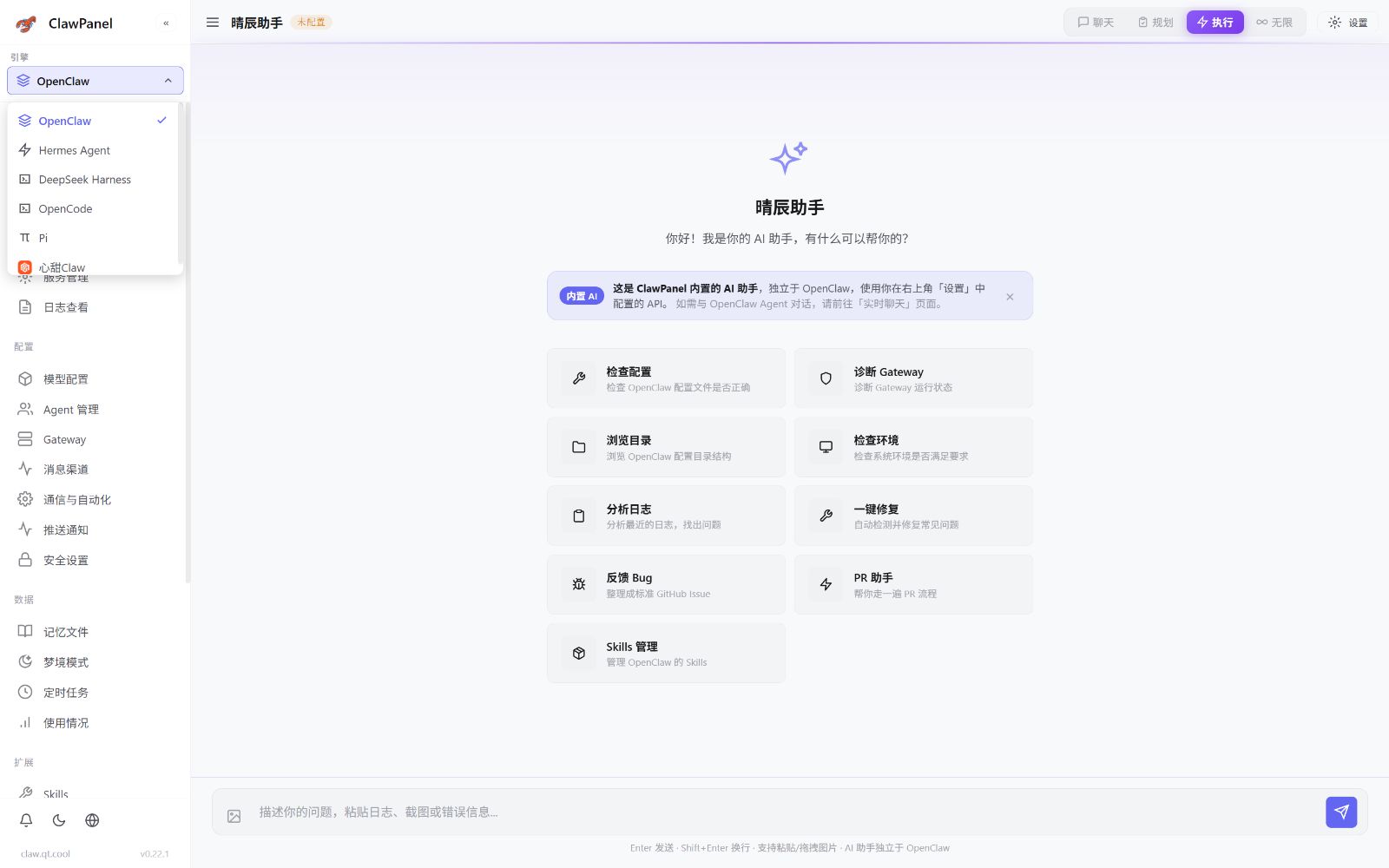
安装引擎、配置模型、查看状态。功能因引擎而异。Install engines, configure models and check status. Features vary by engine.
检查配置与日志,协助诊断和修复。Check configuration and logs with help diagnosing and fixing issues.
Gateway、Agent 与实时聊天,一处掌握。Gateway, agents and live chat in one place.
会话、长期记忆与工具调用,持续协作。Sessions, persistent memory and tools for ongoing work.
模型渠道集中配置,按引擎同步。Configure model providers centrally. Explicitly sync by engine.
各引擎独立启停,运行状态随时可见。Start and stop engines independently. See their status.
QQ、Telegram 等渠道,按引擎支持接入。Connect QQ, Telegram and more on supported engines.
查看 Agent 记忆、身份和工具配置。Inspect agent memory, identity and tools.
服务、端口与日志集中查看,快速定位问题。Find issues faster with service, port and log diagnostics.
按需安装,独立配置。Install on demand. Configure independently.
管理 Gateway、实时聊天、Agent、消息渠道、记忆与自动化。Manage Gateway, live chat, agents, channels, memory and automation.
查看界面 →Explore UI → 查看接入指南 →Read integration guide →独立设置向导、聊天、长期记忆、工具与消息渠道,使用 Hermes 自身运行环境。A dedicated setup, chat, persistent memory, tools and channels on the Hermes runtime.
查看界面 →Explore UI → 查看接入指南 →Read integration guide →受管安装与启停、按目标同步模型,在面板内使用 DSH 原生 Web 工作台。Managed setup and service controls, explicit model sync and the native DSH web workbench inside the panel.
查看界面 →Explore UI → 查看接入指南 →Read integration guide →管理独立运行时与模型配置,在内嵌原生 Web 工作台中处理项目、会话和编码任务。Manage its independent runtime and model config, then work on projects, sessions and code in the embedded native web workbench.
查看界面 →Explore UI → 查看接入指南 →Read integration guide →独立 RPC 聊天工作台,支持流式回复、模型切换和历史恢复;写文件与执行命令逐次审批。An independent RPC chat workbench with streaming, model switching and history. File writes and commands require per-operation approval.
查看界面 →Explore UI → 查看接入指南 →Read integration guide →切换引擎,看看各自的管理界面。Explore the controls built for each engine.
Gateway 状态与 Agent 配置,在同一面板查看和管理。Inspect Gateway status and manage agent configuration in one panel.
接入指南 ↗Integration guide ↗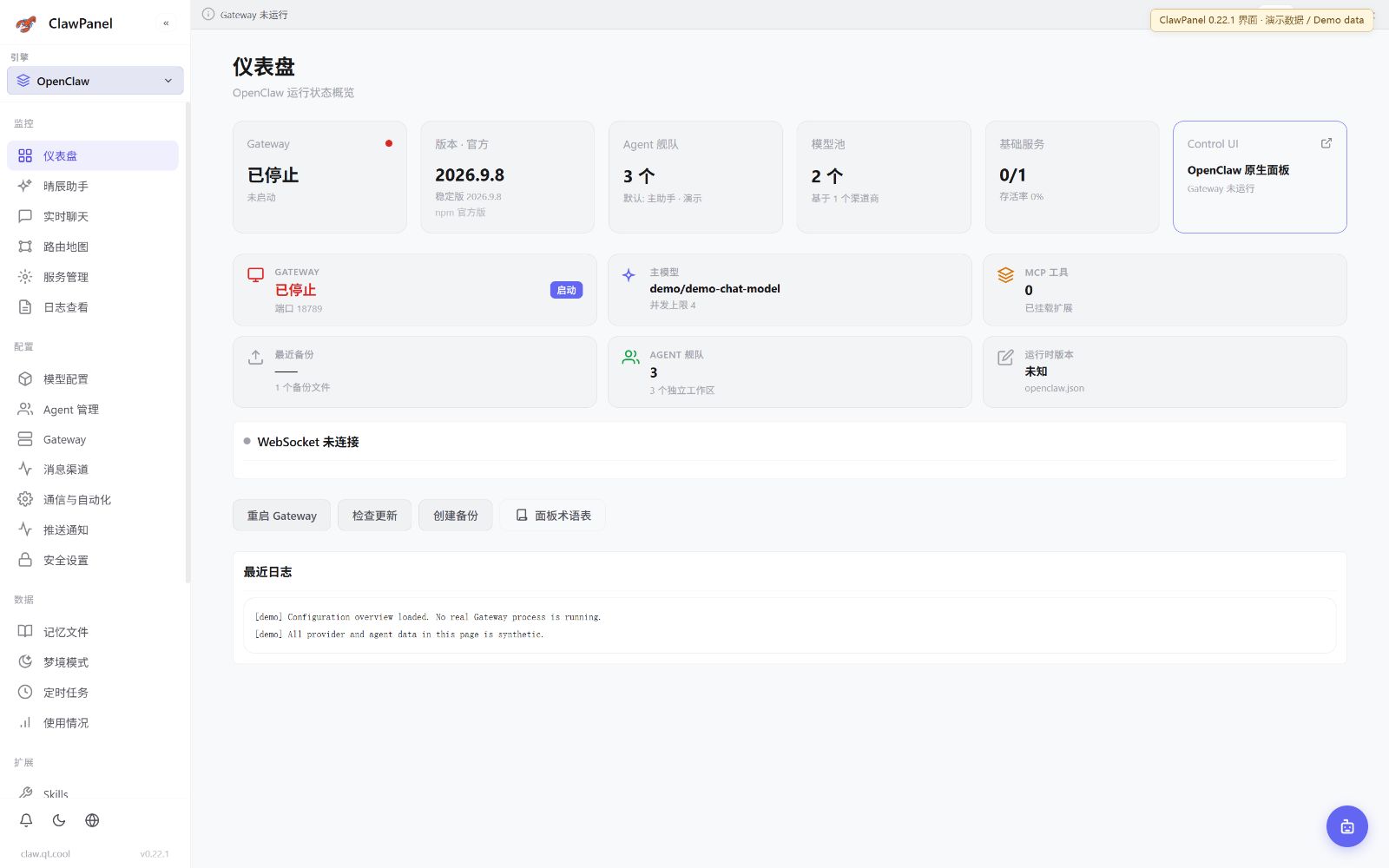 查看大图 ↗Enlarge ↗
查看 Gateway 状态、运行版本与模型信息。Inspect Gateway status, runtime version and model information.
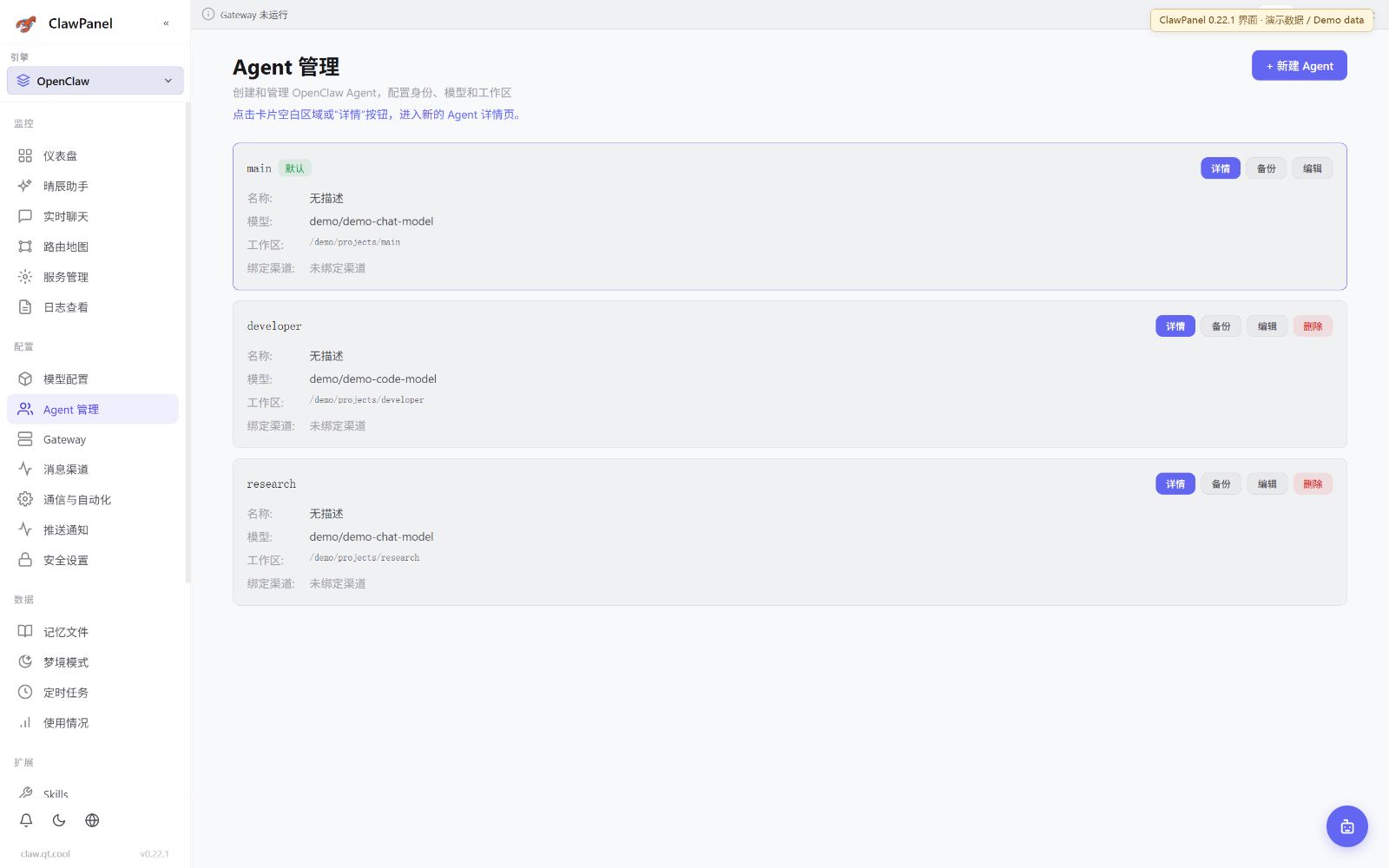 查看大图 ↗Enlarge ↗
集中查看 Agent,管理身份与工作目录。Browse agents and manage their identities and working directories.
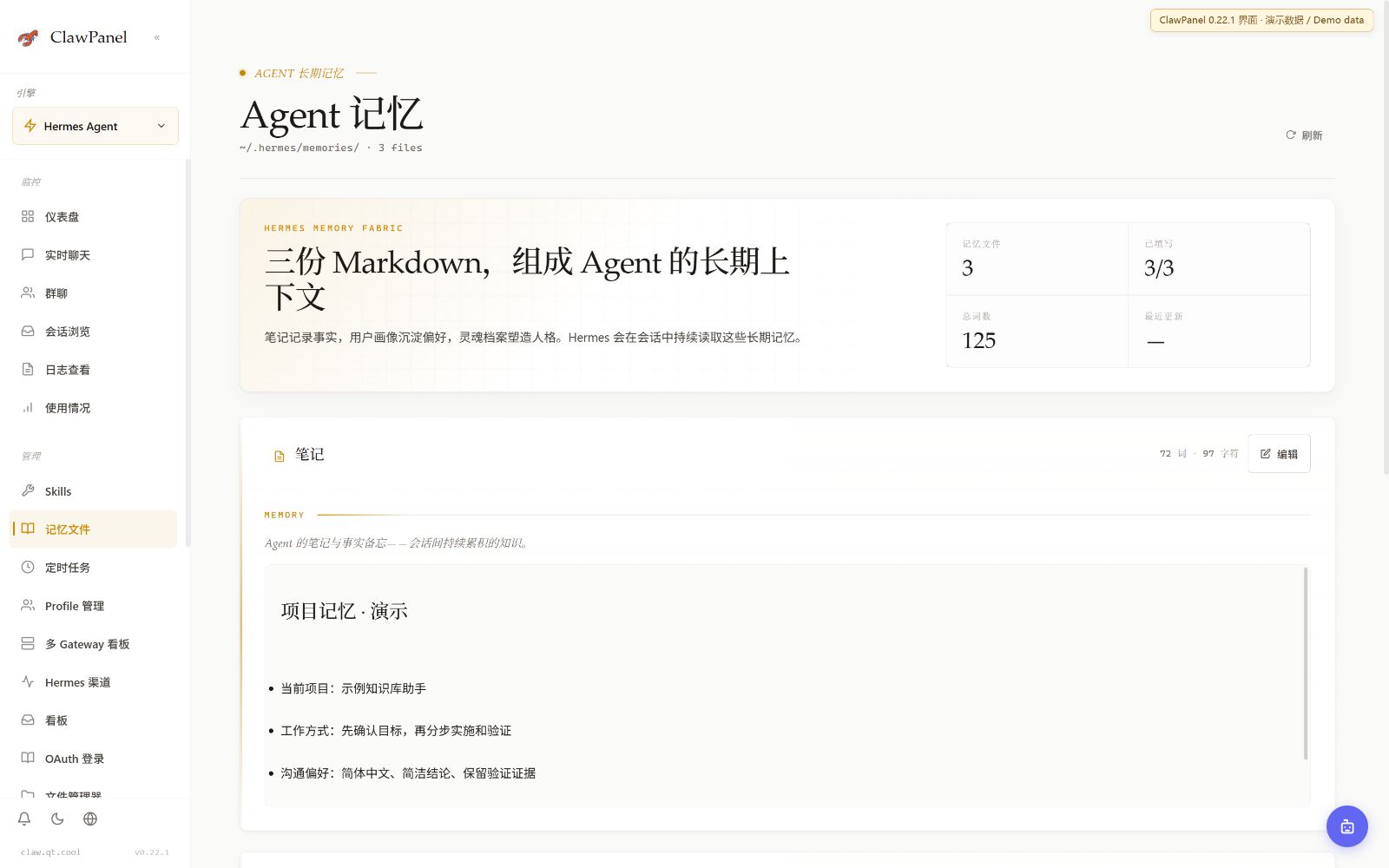
独立查看 Hermes 运行状态,管理 Agent 长期记忆。Inspect Hermes runtime status and manage persistent agent memory.
接入指南 ↗Integration guide ↗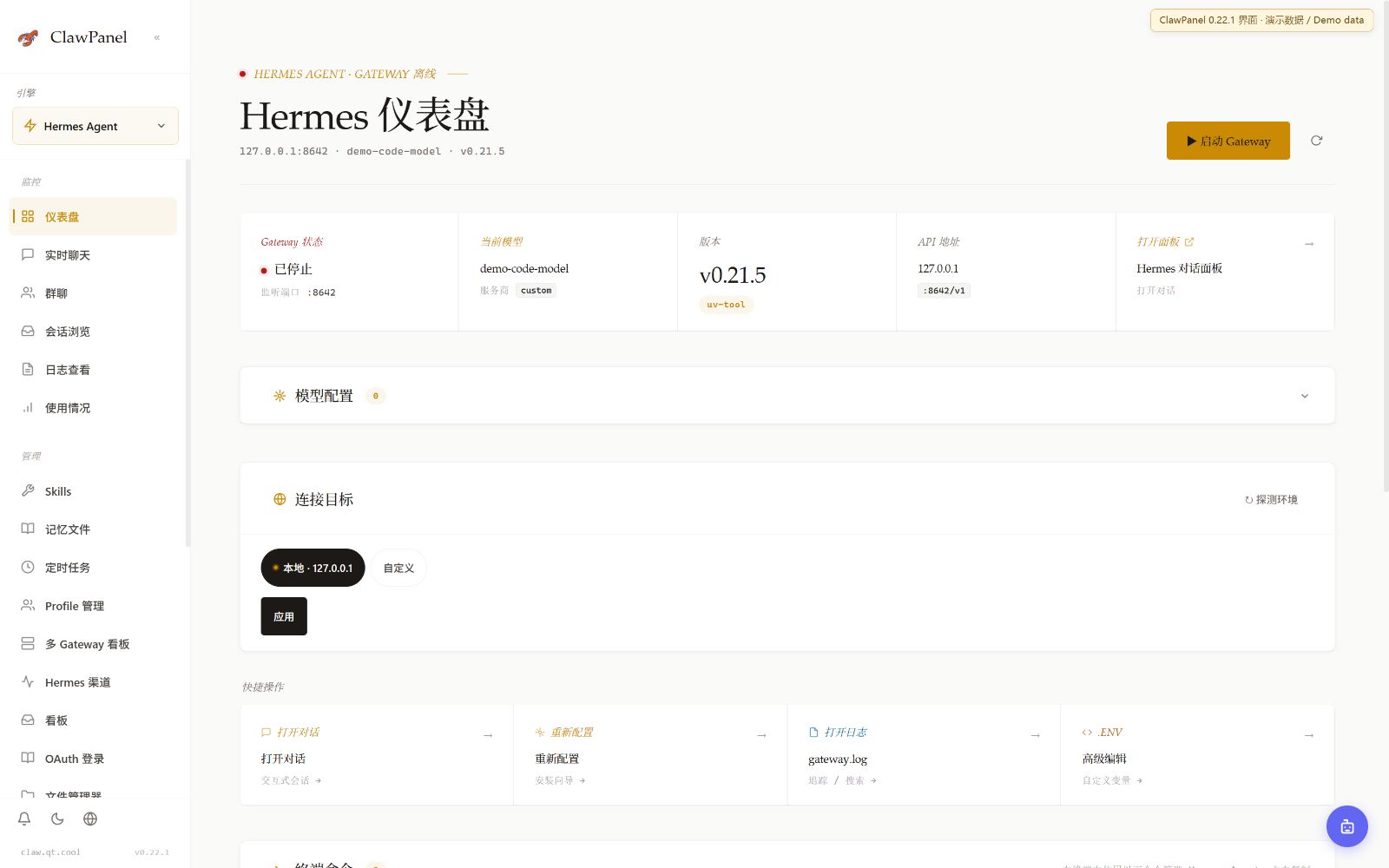 查看大图 ↗Enlarge ↗
查看 Hermes 服务、模型与 Agent 概览。Inspect Hermes services, models and the agent overview.
 查看大图 ↗Enlarge ↗
浏览长期记忆与工作区文件,查看 Agent 上下文。Browse persistent memory and workspace files for agent context.
管理 DSH 受管运行时,配置并显式同步模型渠道。Manage the DSH runtime, configure model channels and explicitly sync them.
接入指南 ↗Integration guide ↗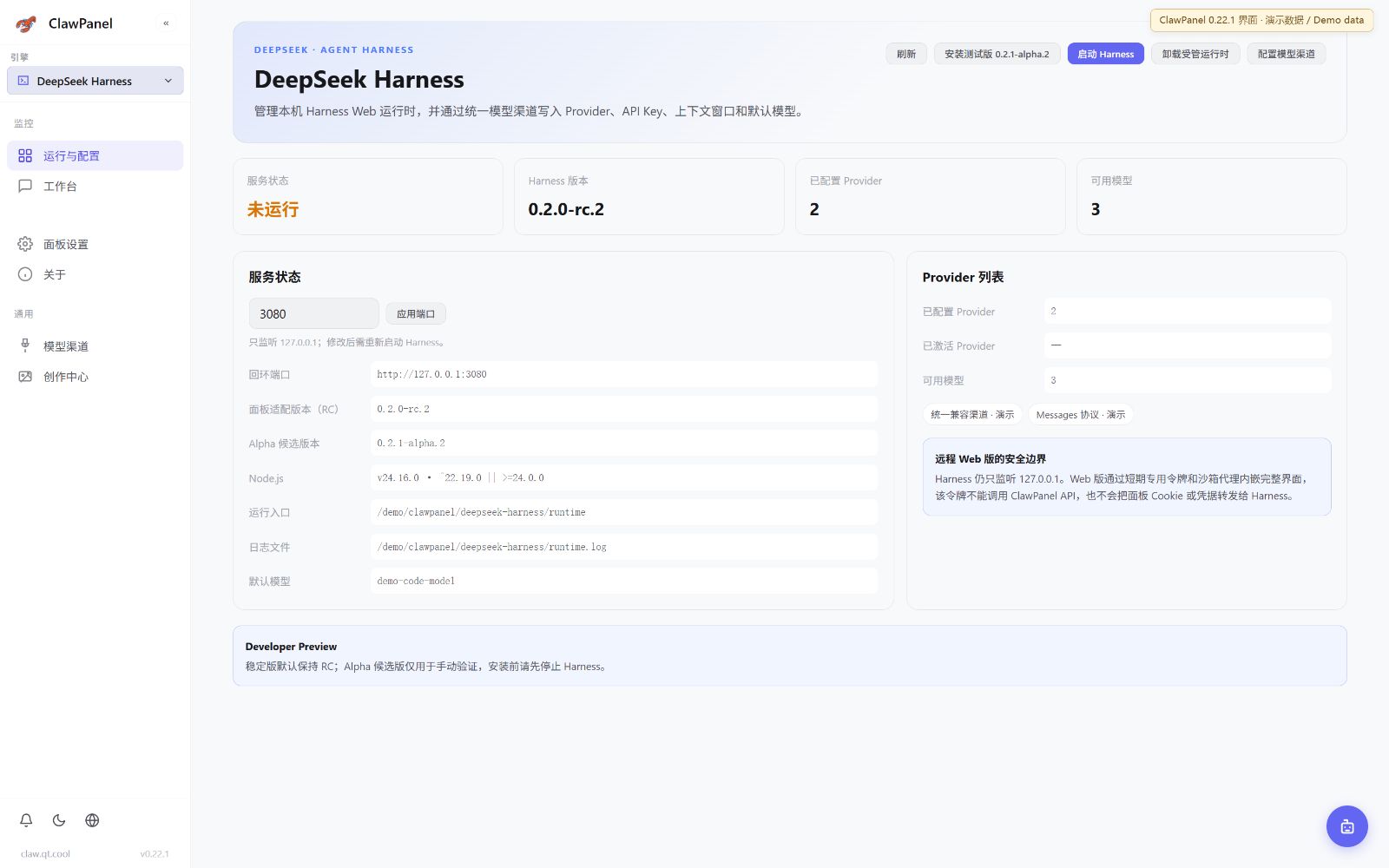 查看大图 ↗Enlarge ↗
查看受管版本与服务状态,管理安装和启停。Inspect the managed version and service status, with install and lifecycle controls.
 查看大图 ↗Enlarge ↗
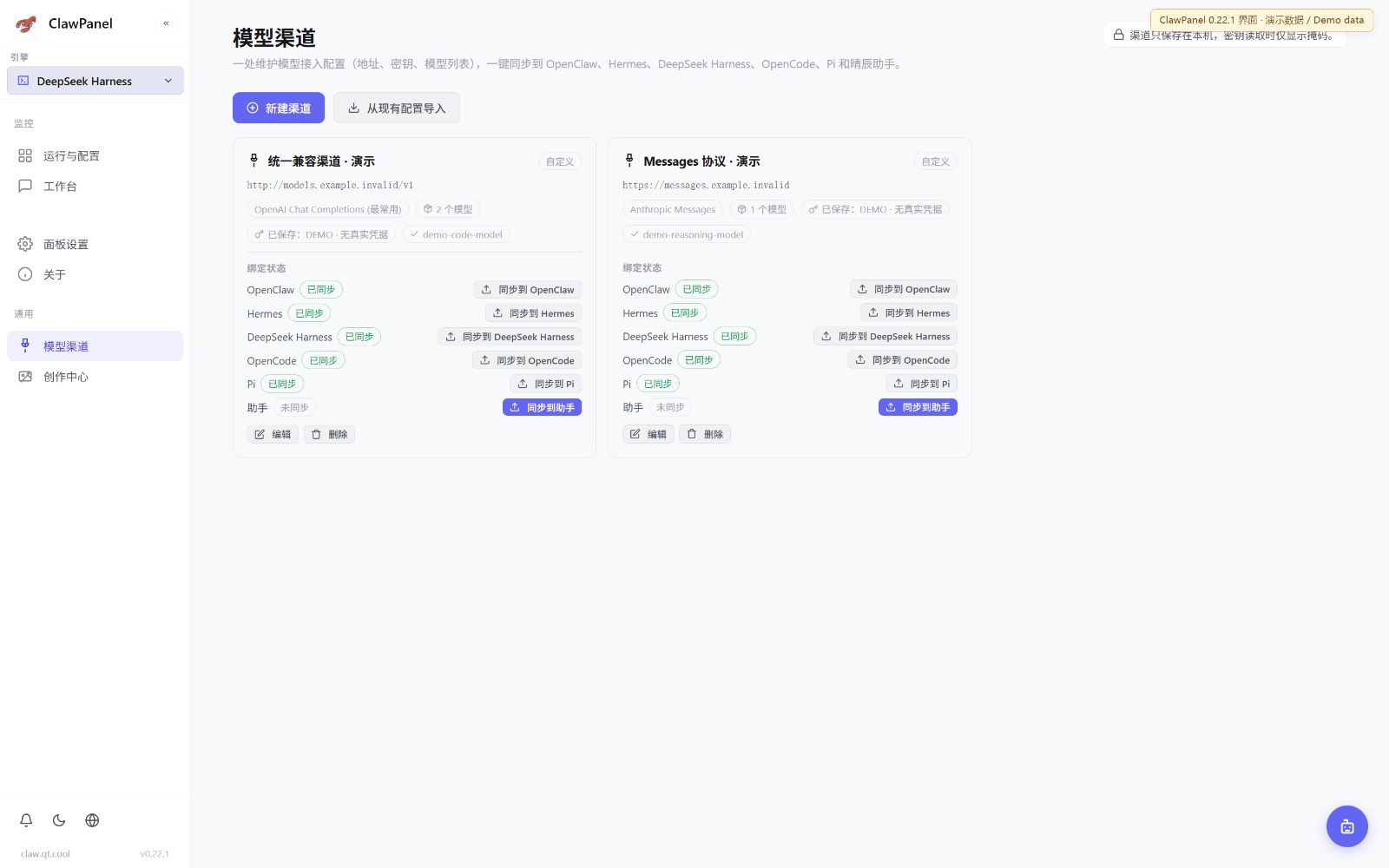
在共享模型渠道维护提供商与模型,显式同步到 DSH。Maintain providers and models in shared model channels, then explicitly sync to DSH.
独立管理 OpenCode 运行配置,按目标同步模型渠道。Manage OpenCode runtime configuration and sync model channels to this target.
接入指南 ↗Integration guide ↗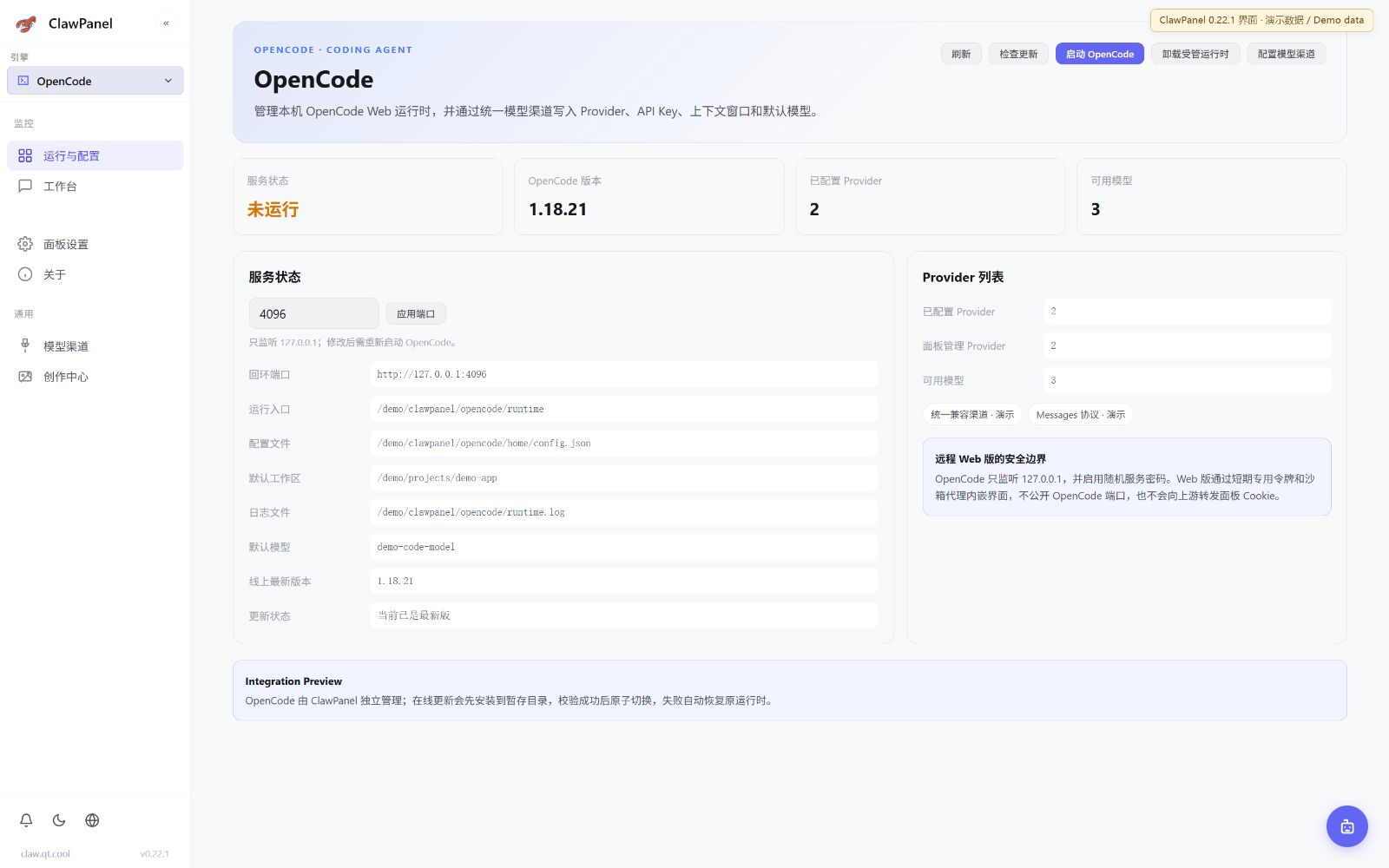 查看大图 ↗Enlarge ↗
查看独立运行时、服务端口与受管启停入口。Inspect the independent runtime, service port and managed lifecycle controls.
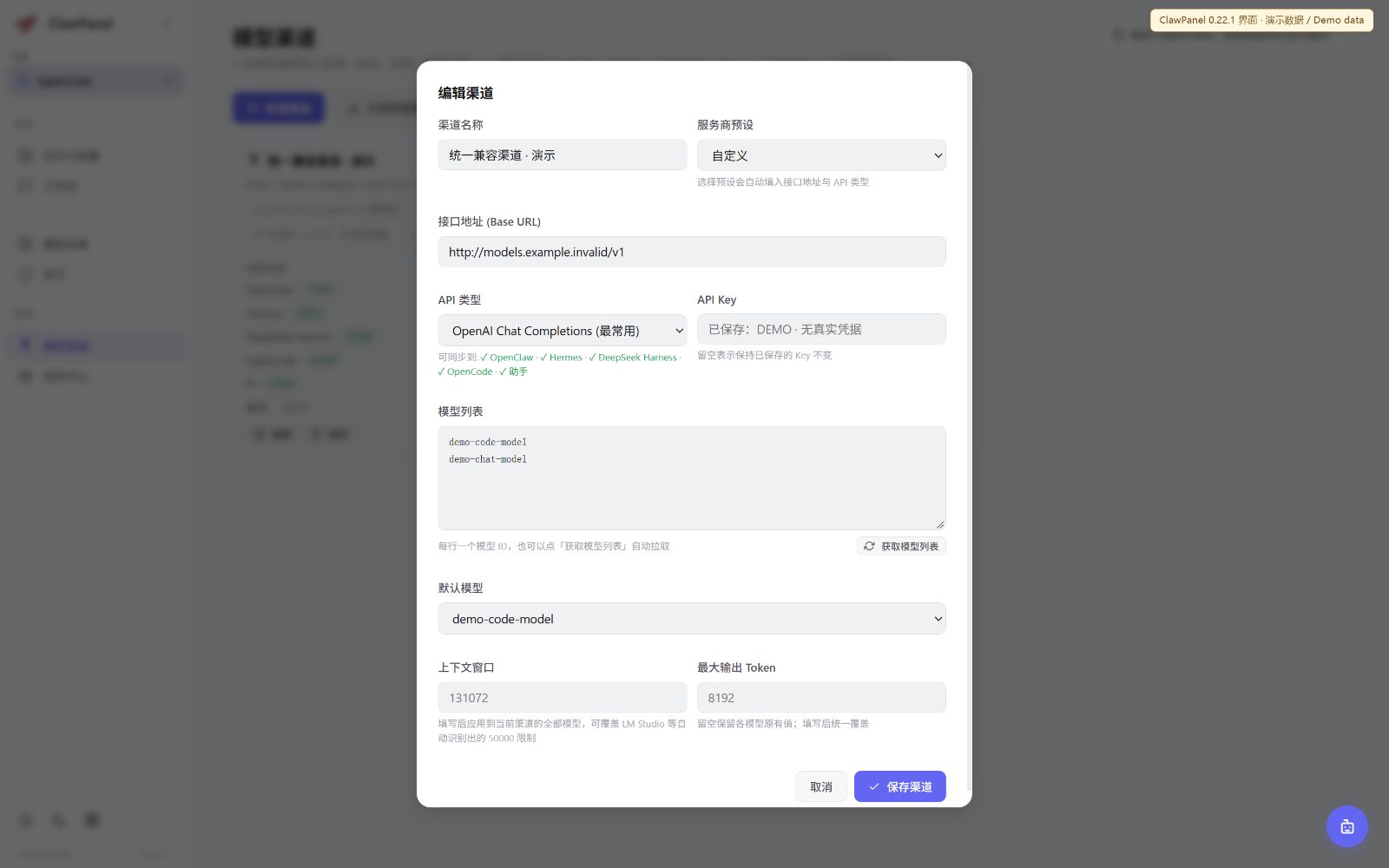 查看大图 ↗Enlarge ↗
在共享渠道维护模型配置,选择同步到 OpenCode。Maintain models in shared channels and explicitly sync to OpenCode.
实验版运行配置与独立会话工作台,工具操作按权限审批。Experimental runtime configuration and independent sessions with permission-based tool approval.
接入指南 ↗Integration guide ↗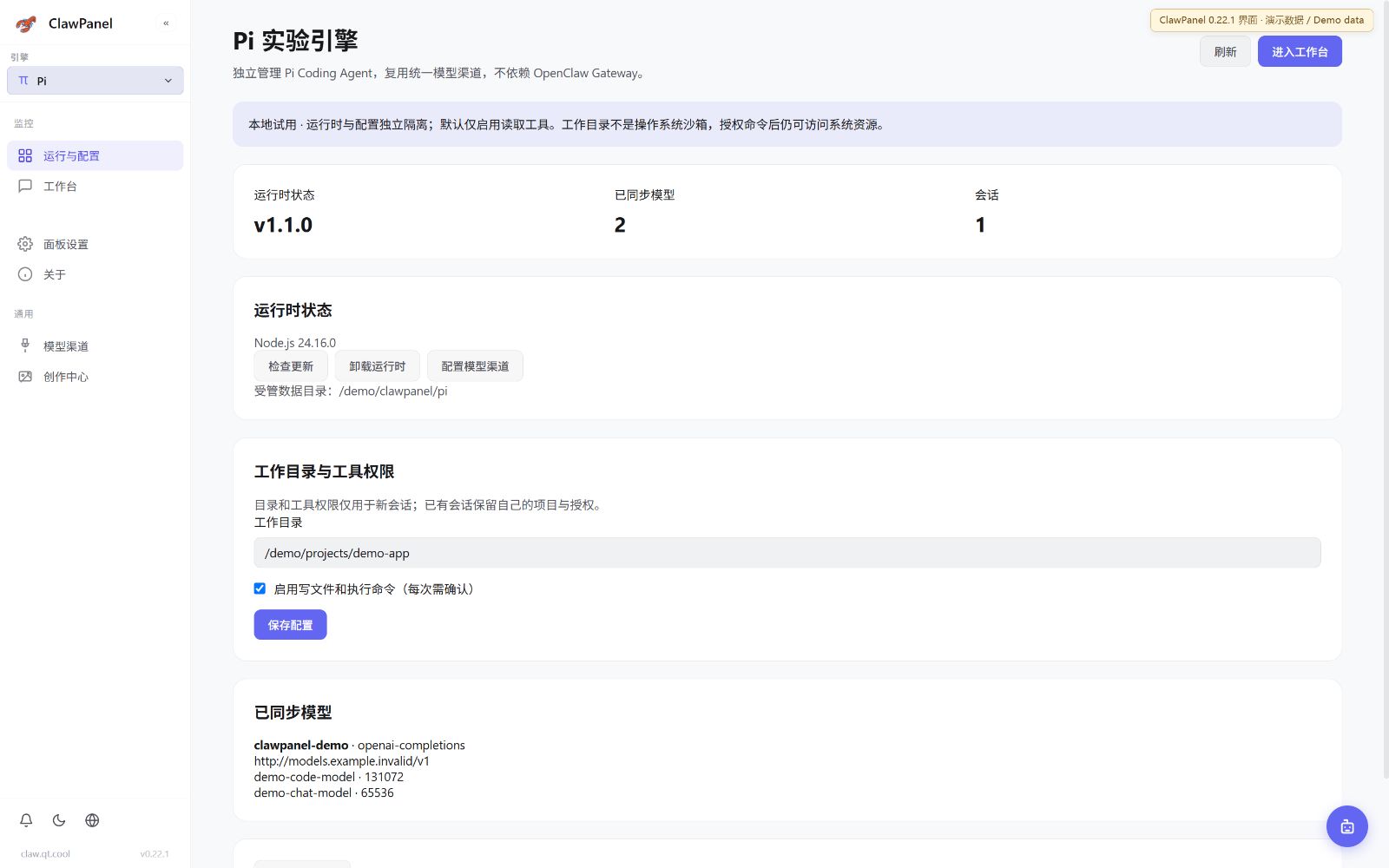 查看大图 ↗Enlarge ↗
查看实验版运行时、工作目录与工具权限。Inspect the experimental runtime, working directory and tool permissions.
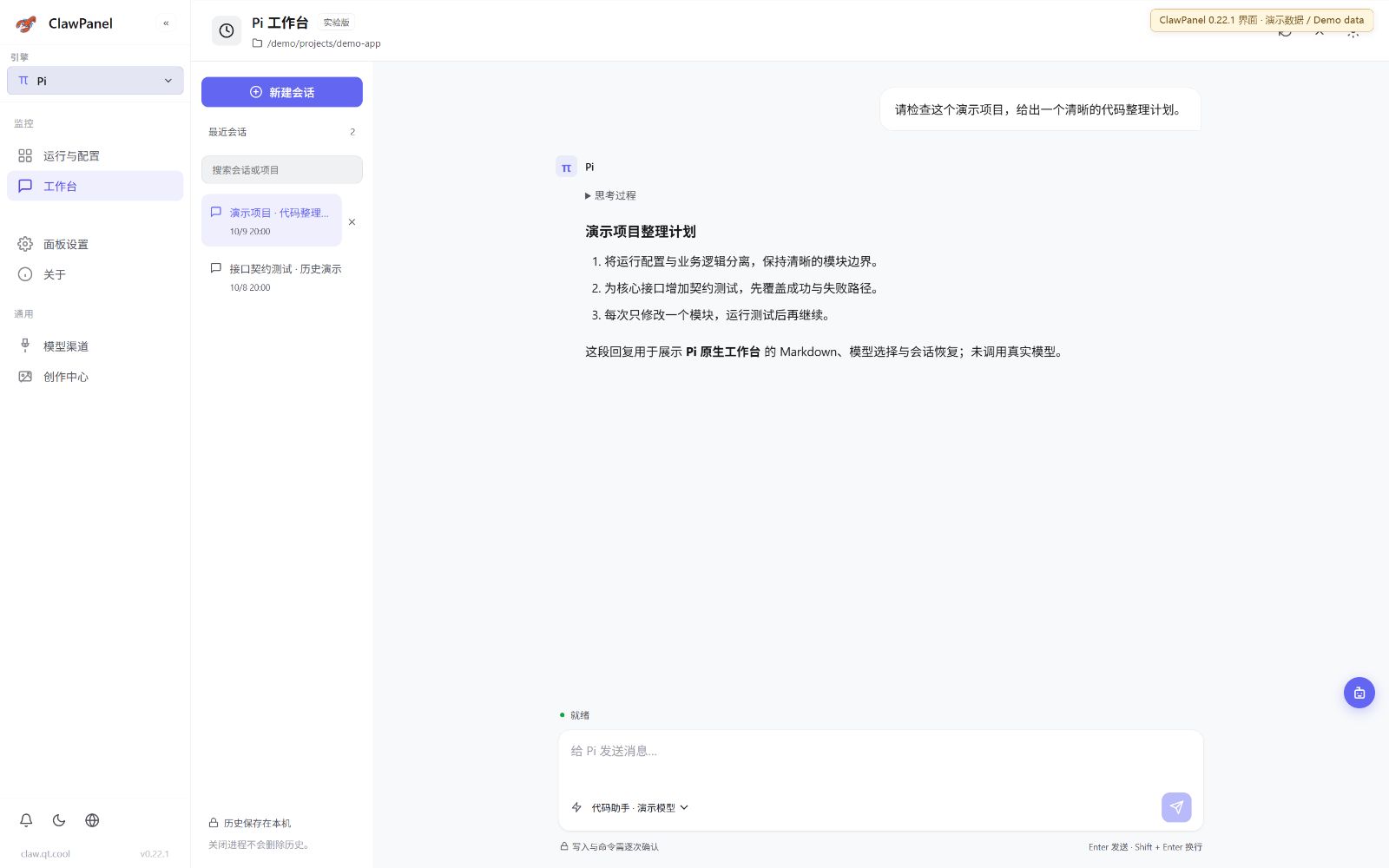 查看大图 ↗Enlarge ↗
在独立会话中选择模型,查看消息与工具审批入口。Select a model in an independent session, with messages and tool-approval controls.
采集自 v0.22.1 Web 界面,状态与内容为隔离演示数据,不代表实机运行结果。DSH / OpenCode 此处展示管理与模型同步,原生工作台需安装并启动对应引擎。Captured from the v0.22.1 web UI with isolated demo data, not live runtime results. DSH / OpenCode show management and model sync; their native workbenches require installed, running engines.
官网负责发布、下载、文档、更新清单和社群入口,控制台负责本机与服务器运行时管理。The site handles releases, downloads, docs, update manifests and community; the console manages local and server runtimes.
跨平台桌面端,负责本机系统能力与运行时管理。Cross-platform desktop shell for local system and runtime operations.
服务器部署后,通过浏览器管理已安装且受支持的运行时。Deploy on a server and manage installed, supported runtimes from the browser.
统一选择入口,各驱动独立管理能力、配置和依赖,不承诺功能完全相同。One selection flow, with driver-specific capabilities, configuration and dependencies rather than identical features.
安装包优先走 R2,失败时降级到本站本机兜底。Downloads use R2 first and fall back to the local site mirror.
最新版文件、镜像状态、公告和客户端接口由后端动态返回;旧客户端兼容入口只保留在接口文档中。The backend returns current files, mirror state, announcements and client APIs; legacy compatibility stays in API docs.
Windows、macOS、Linux 安装包由下载页按平台展示,链接统一走本站镜像。Windows, macOS and Linux packages are grouped by platform and served through site mirrors.
进入下载页Download服务器部署以官方仓库文档为准,先确认端口、systemd、反向代理和访问控制。Server deployment follows the official repository docs. Check port, systemd, reverse proxy and access control first.
最新版、文件列表、公告和客户端心跳接口都在站内维护,方便客户端和 AI Agent 接入。Latest release, asset list, announcements and heartbeat APIs are maintained for clients and AI agents.
查看接口Open API docs安装、部署、配置、消息渠道和 FAQ 都在站内文档中持续维护。Install, deployment, configuration, channels and FAQ are maintained in site docs.
比较五个引擎,了解依赖、能力与接入状态。Compare five engines, their requirements, capabilities and integration status.
INSTALL桌面端安装、首次打开和平台选择。Desktop install, first launch and platform choices.
WEBLinux 服务器部署和浏览器远程管理。Linux server deployment and browser access.
CONFIG模型端点、运行时选项和保存检查。Model endpoints, runtime options and checks.
API更新、下载、公告通知和心跳接口。Update, download, announcements and heartbeat APIs.
FAQ下载慢、网关未运行、系统提示拦截等问题。Slow downloads, Gateway issues and system prompts.
获取版本动态、提交问题、参与讨论,或进入 QQ、微信、抖音、飞书等官方社群。Follow releases, report issues, join discussions, or enter the official QQ, WeChat, Douyin and Feishu groups.
新版界面截图串讲,涵盖十个场景。A screenshot walkthrough of ten current UI scenes.
v0.22.1 界面截图串讲,使用演示数据;非模型执行或原生工作台实录。A v0.22.1 screenshot walkthrough using demo data; not a model execution or native workbench recording. 按引擎查看 →Explore by engine →
基础云计算、游戏云和主题站长服务,售前售后 24 小时在线。Cloud, game server and site hosting services with 24-hour support.
查看服务View offer查看 ClawPanel 与 OpenClaw 中文项目当前的社区关注度。Current community interest in ClawPanel and the OpenClaw Chinese project.
趋势数据暂不可用。Trend data is temporarily unavailable.
正在获取 GitHub 实时数据…Loading live GitHub data…
下载页会为 Windows、macOS、Linux 和 Web 产物生成安全临时链接,优先走 Cloudflare R2,必要时自动降级到本站本地镜像。The download page generates secure temporary links for Windows, macOS, Linux and web packages, using R2 first and local fallback when needed.